For the work you do with your hands
Good work.Clear proof.
Before and after photos, a report your customer can open, and an invoice they can pay. Keep it all with the job.Watch Curbshot in 60 seconds →Free app. No subscriptions. No ads.On paid invoices $50+, customers pay a $4.95 processing fee by default.The difference is in the detailsFront steps & walkway
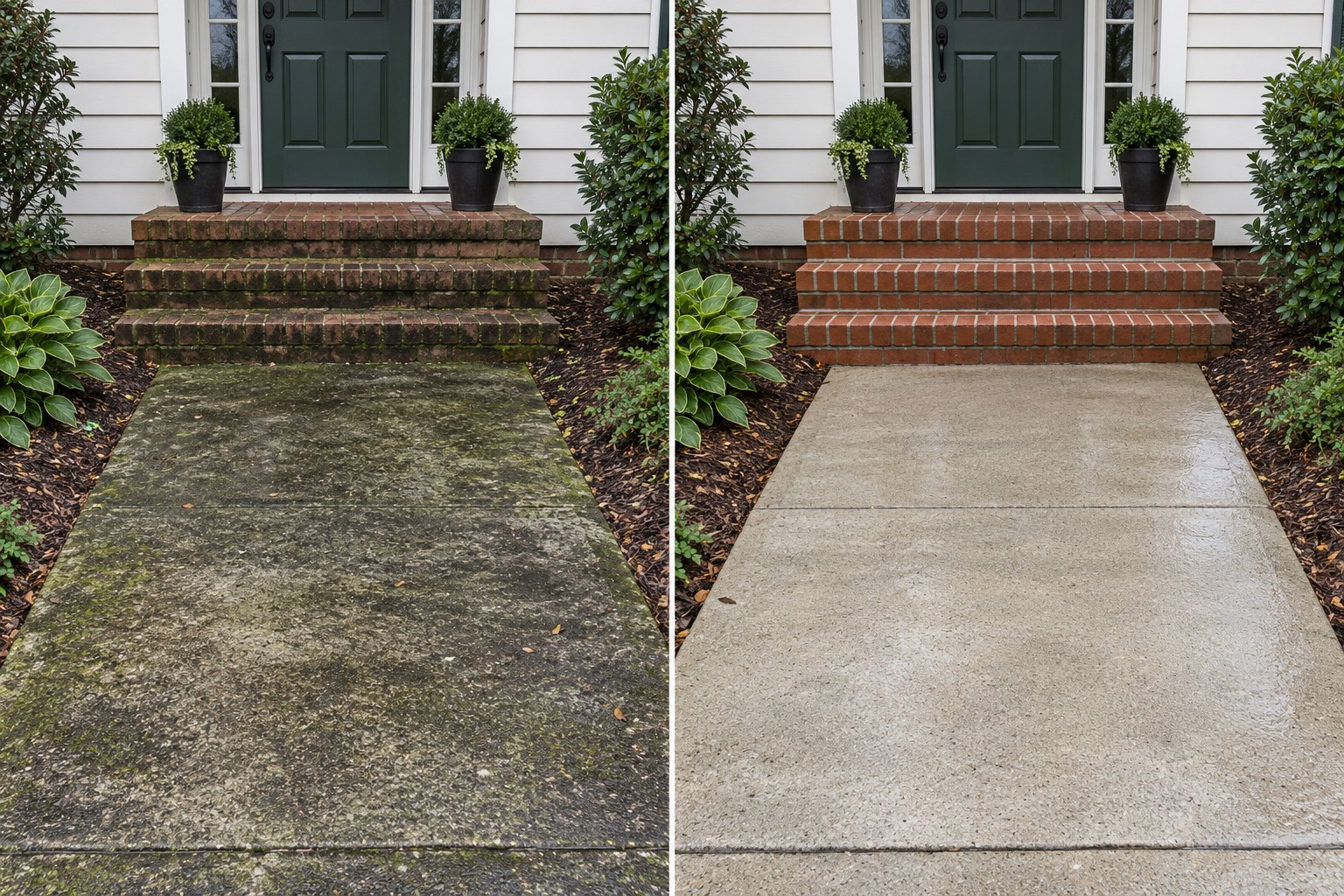
BeforeAfter
Your photos. Your shop name. One clear record of the work.
Built for independent tradesLawn care · Painting · Pressure washing · Snow removal · Handyman work
60 seconds. The whole story.Good work deserves to be seen.From the first photo to the final invoice. See how Curbshot keeps it all with the job.
Proof you did the work.Less explaining. More showing.Keep the before, the after, and the bill together. Give your customer a clear record, even when they are not there to see the work.
01 / PHOTO GALLERIESKeep every angleBefore and after photos stay with the job. Browse the gallery, then open a photo to zoom in on the details.
02 / LINKS + PDF REPORTSSend the whole storyShare a link or a PDF with your shop name and job photos. Your customer can open the proof without installing an app.
03 / INVOICES + STRIPEMake payment the next stepAdd invoice line items and send a payment link. Connect your Stripe account to collect for the work you do.
From first photo to final invoiceA simple routine for every job.
01Start with the beforeCreate a job and take your first photos. Capture on site, even without a signal.
02Show what changedAdd the finished photos. Once synced, send a proof link or download the PDF.
03Send the invoiceList the work, share the payment link, and check the payment status in Curbshot.
Free to use$0Your work does not need another subscription.Unlimited jobs, photos, and shares. No monthly plan. No ads. Use photo proof on its own, or connect Stripe when you want to send invoices.Download for iOS →
Paid by your customer$4.95Shown as a “Processing fee” on invoices of $50 or more.
Below $50, there is no Curbshot fee.Stripe processing fees are separate.By default, the $4.95 is added to your invoice total and paid by your customer. You can choose to cover it instead in your fee settings.
A few things worth knowing.
Do I need a subscription?No. Curbshot is free to use, with no ads and no monthly plan. Create jobs, capture photos, and share proof without a subscription.
Does my customer need the app?No. Proof links and payment links open in their browser. You can also send a PDF report for their records.
Can I work without a signal?Yes. Capture job photos on your phone, then sync when you are online. Sharing proof and collecting payments require an internet connection.
What does collecting a payment cost?On paid invoices of $50 or more, the customer pays Curbshot’s $4.95 fee by default. It is added to the invoice total and shown as a “Processing fee” before they pay. You can choose to cover it instead in your fee settings. Below $50, there is no Curbshot fee. Stripe processing fees are separate.
Do I have to use payments?No. Use Curbshot for photo proof on its own. Connect Stripe from your shop settings when you want to collect invoice payments. Payments are for U.S. shops.
Your next job, documented.Put your work on the record.Create your shop in the app. Add your first job. Take the before photo.Available now on the App Store for iPhone and iPad.Download on the App Store
Curbsh t
t
Proof you did the work. Before and after photos, shareable reports, and invoices for independent trades.© 2026 CURBSHOT. ALL RIGHTS RESERVED.t